
My computer won’t run Windows 11
Forums all over the worldwide web are buzzing that Windows 10 reached end of life c/w cries of “…but, but, my computer won’t run Windows 11“.
Whatever shall we do?
These offer various solutions, almost all involving using more proprietary products of the same large foreign IT corporation that caused this problem in the first place. But there are a viable and highly affordable alternative. You could jump ship altogether, as we did back in 2007 following the Vista fiasco. I’ve never regretted it for a second. Now is a very good time to do so because there are literally warehouses full of cheap powerful computing hardware, unable to run Windows 11. However these machines will run certain other operating systems, and do so superbly well.
Choices?
My OS of choice is Debian – or perhaps one of its derivatives such as Ubuntu. Debian is free, open source and will always be free. Debian and Ubuntu also enjoy vibrant development and support communities, some of which are right here in the UK. Upgrades are both timely and free. Upgrading to the next release version is also free. Most of the users I look after these days are running Debian ‘Stable’, including my 90 year old mother. So don’t get suckered by the old Microsoft FUD that “Linux is hard to use“. It isn’t. Or that in the long run, it costs more. It doesn’t! It’s free. GarfNet also provided a series of articles detailing how to install Debian, and then how to install a comprehensive set of additional packages.
Stability and security?
Debian Stable also enjoys a particularly good reputation both with regard to stability and security. Some of our Debian machines enjoy uptimes in excess of several months and in some cases they’ve gone years between reboots. And we’ve never had a successful malware attack. Moreover, Debian is almost infinitely scalable – anything from a tiny Raspberry Pi to some of the planet’s fastest supercomputers all run Debian. Most importantly, when a security threat is identified, the Debian Security Team is generally the first in the world to come up with a fix. Whereas Microsoft has a long and unenviable record of dragging its feet.
Upgrades are free, smooth and trouble-free, and importantly, they occur when the user wishes to perform them. Unlike Microsoft products, Debian cannot be shut down remotely by some foreign corporation. Nor is there any of this “product authentication” or “Trusted Computing Platform” nonsense. Also Debian generally runs significantly faster than MS Windows on similar hardware, not least because Debian does not need the layer-upon-layer of anti-fungus software that Windows users often put up with. Generally additional anti-malware products are unnecessary on Debian – thus instantly ridding oneself of those awful anti-virus protection rackets. If you do identify a need for AV software, perhaps becasue you have Windows users connecting to your machine and you don’t want them hurting each other, then yep you guessed it: AV software for Debian is free too.
Debian software generally comes from properly-curated repositories where the source code can be scrutinised for nasties. Moreover, like all GNU/Linuxes, Debian and its derivatives enjoy a rigidly enforced system of access permissions. So in the unlikely event that you are successfully attacked while using you user account, the malware cannot alter system files unless you specifically grant it sudo permission to do so. So if you use strong passwords, only run stuff as root when you have to, and obtain your applications from the Debian repositories (and/or other trustworthy sources), your chances of infection are very low indeed.
What about the downsides?
Downsides? Yes of course. Main one is you have to learn something new. And something to which there is no glass ceiling with regard to what you are allowed to know. I’ve been a 100% Debian/Ubuntu user for 18 years. I still learn something new almost every day.
You will also need to consider your applications carefully, certainly during your transition. Windows apps don’t run natively on Debian – it’s actually one of the things that makes Debian more secure. Because Windows apps won’t run natively on Debian, Windows malware won’t run on Debian either! Nevertheless, whilst your apps and all their upgrades are be free, you will probably want to choose applications that resemble software with which you are already familiar. So there is inevitably a learning curve. It will require some intellectual effort, and it may take a while.
But once you are past that, you never look back.
I’ve heard that Linux is hopeless for home or family use?
That’s certainly what Microsoft would like you to believe. Indeed, it has spent quite a lot of time and money spinning the false premise that Microsoft offers “the only game in town“. However, it simply isn’t true. Granted, if you have been using one operating system for decades, and you make a move to another, there will inevitably be a learning curve. However, Debian/Ubuntu has worked well for our family computers since 2007. Works for my wife’s Hungarian family too – in Hungarian – and has done since 2009.
And like I said, my 90 year old mother uses Debian. She almost gave-up computing because of the horrendous issues she was having with MS Windows. I’m glad she joined the Penguinistas instead. Her early morning email tells the rest of her family that she’s up and about, and that all is well with her. Her mail literally puts a smile on my face, every morning. And she had no difficulty making the move. Word Excel and PPT documents can be opened and saved in LibreOffice. LO can be used by any moderately computer-literate 10 year old – or 90 year old. Ditto Mozilla Thunderbird as an email client, instead of that bloody awful MS Outlook.
And there are no decent applications?
Wrong again!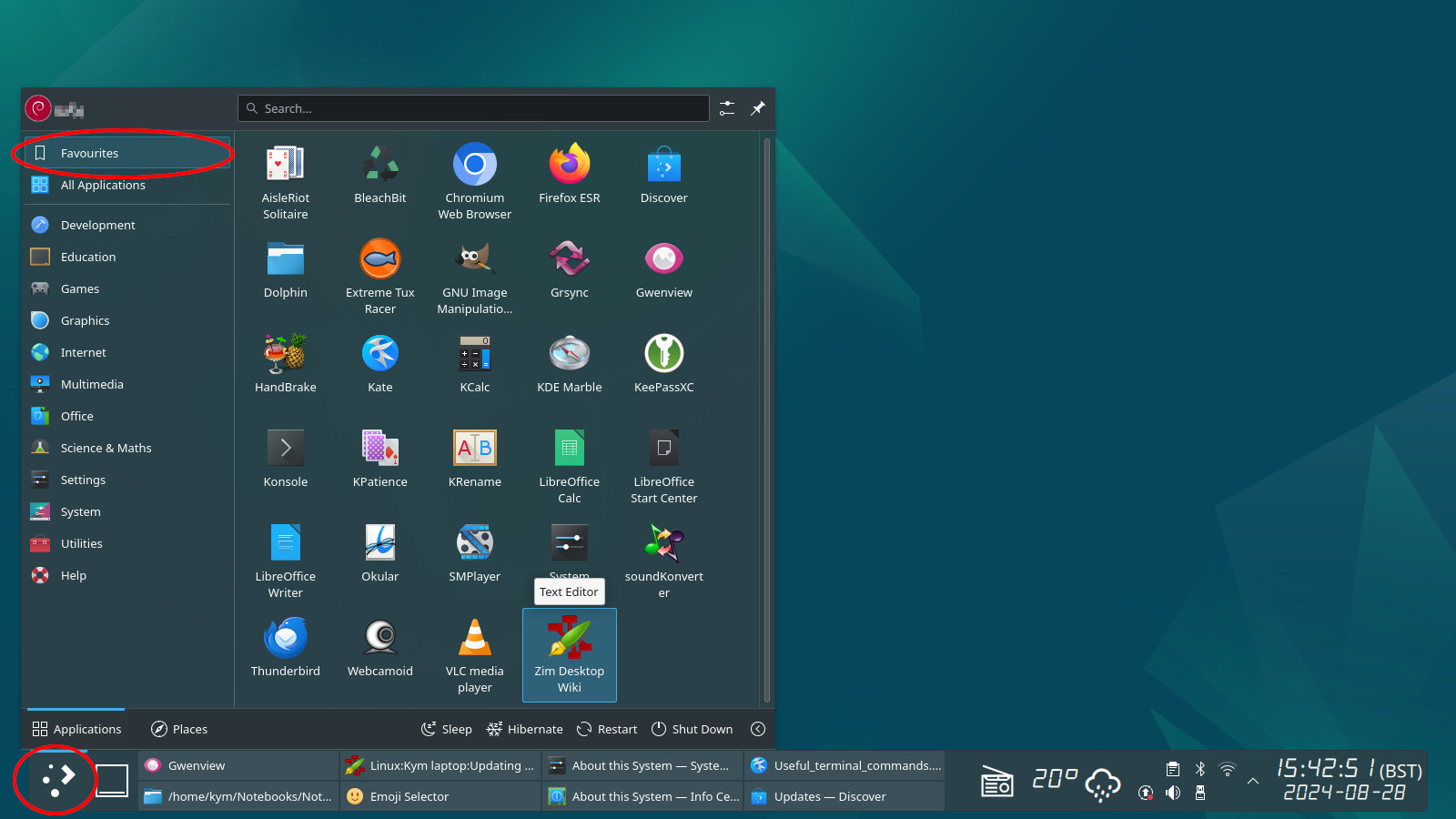
- Images can be edited in GIMP, Krita, Darktable et al;
- Video editing in the excellent and feature-packed KDENlive.
- CAD in FreeCAD granted this can be a bit flaky at times, but its improving.
- There’s Inkscape for vector drawings;
- You can do media playback, including Hi-Fi audio, HD video and DVB television/radio in VLC or SMPlayer.
- There’s Steam for those who want games (those these usually have to be paid for).
- And there’s the fabulous gqrx for radio enthusiasts. This turns a basic RTL2832 USB device into a full-blown communications receiver, for those who like that sort of thing.
This is a typical “favourites” menu screengrab for one of our standard Debian customer installations. Favourites obviously vary from one person to another. In this instance in addition to most of the above, this has two regularly updated popular open-source browsers, the excellent “Dolphin” file manager, “Gwenview” thumbnail viewer, “Handbrake” DVD ripper, “KeePassXC” secure password manager, “Konsole” terminal app, “Okular” PDF & comicbook viewer and “Zim” personal wiki & note-taker. We also have an excellent internet radio player widget and a weather widget directly taking data from OpenWeatherMap from stations around the planet. I think this is what they refer to in the motor trade as pretty “fully loaded“…
Surely there’s something Windows does that GNU/Linux doesn’t?
I can’t off-hand think of anything that I was doing in MS Windows that I can’t do perfectly adequately, or better, in Debian – apart from paying software rental fees and attracting malware, of course. Not to mention laying-bare my privacy to Microsoft’s appalling stack of corporate spyware – er, I mean “telemetry“…
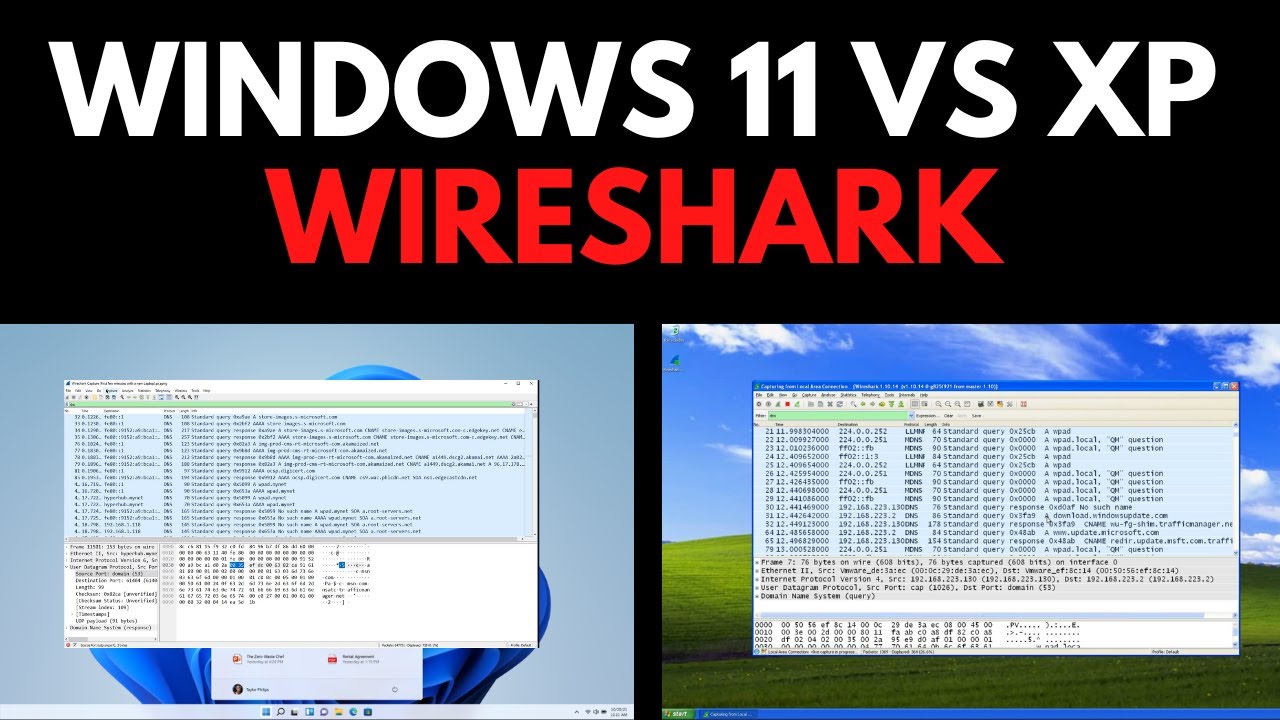
Then there are the things that MS Windows doesn’t offer – such as Apache webserver, Python, OpenSSH, variety of GUI desktop options et al. Granted, you can do workarounds and 3rd-party downloads for some of these features. But in Debian these are a standard part of the Debian distro – a simple “sudo apt install …” away. Makes setting up your own intranet servers a doddle, safely sharing content with your entire family without using third party foreign servers. Then there’s scalability, security, privacy…
Conclusion
Final comment, if I may: I look at threads such as this with a strange mix of amusement and sadness. These problems are all created by Microsoft, primarily to increase its profits at the user’s expense. Frankly I find it stunning that so many people still put up with this nonsense. Some even propose complex workarounds in order to continue using supported versions of its products, or worse, suggest using older unsupported versions with all the risks that entails, when there are free and regularly-updated alternatives that will literally rid you of these stupid problems, forever.
Taking a somewhat longer view: in consideration of the rapidly deteriorating political and economic situation in the United States, I think as a nation, Britain needs to consider the wisdom of running proprietary American software at all. Whereas, regardless of much he yells, imposes tariffs, bans software exports, soils his nappies or whatever, King Donald simply cannot shut down Debian or Ubuntu – even if he could figure out what they are.
Of course,, what you decide to run on your computer(s) is your affair. It’s no skin off my proverbial hooter, whatever you decide to do. Though personally, I’d be happy never to use another proprietary Microsoft product for as long as I live.
Links
- How to install Debian 13
- Official Debian website
- Official Ubuntu website
- Official KDE Neon OS website