Fixing geo URI links in Firefox for OSM
Firefox running in Debian with KDE Desktop has a rather annoying bug, where it won’t open geo URI links using OSM (OpenStreetMap). This was doubly annoying for me because I have taken a lot of care to include geo URI links in this site recently. Moreover, OSM is by far my preferred mapping service. Anyway, this fix addressed the problem for me and it may fix the problem for you too.
1. Create the handler script
Open a terminal and paste the following:
mkdir -p ~/bin

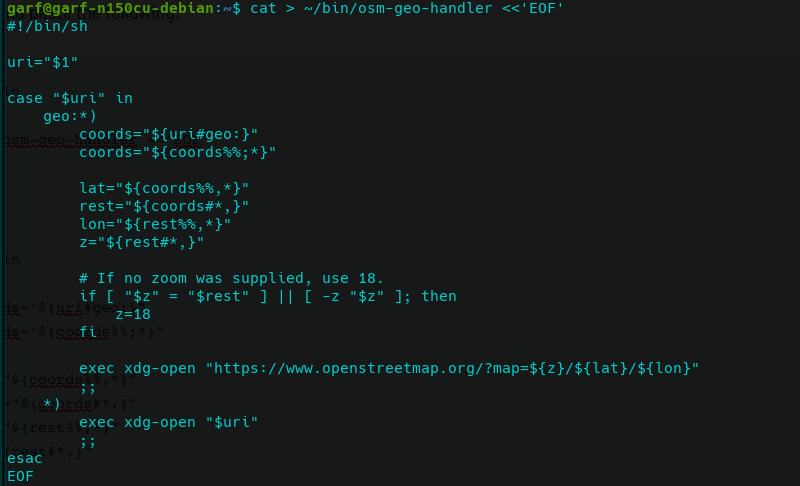
cat > ~/bin/osm-geo-handler <<'EOF'
#!/bin/sh

uri="$1"

case "$uri" in
    geo:*)
        coords="${uri#geo:}"
        coords="${coords%%;*}"

        lat="${coords%%,*}"
        rest="${coords#*,}"
        lon="${rest%%,*}"
        z="${rest#*,}"

        # If no zoom was supplied, use 18.
        if [ "$z" = "$rest" ] || [ -z "$z" ]; then
            z=18
        fi

        exec xdg-open "https://www.openstreetmap.org/#map=${z}/${lat}/${lon}"
        ;;
    *)
        exec xdg-open "$uri"
        ;;
esac
EOF

chmod +x ~/bin/osm-geo-handler
The important line is:
exec xdg-open "https://www.openstreetmap.org/#map=${z}/${lat}/${lon}"
It must contain:
#map=
not:
?map=
OSM uses the #map=zoom/latitude/longitude format for this.
2. Test the script
For example:
~/bin/osm-geo-handler 'geo:50.9097,-1.4044'
It should open:
https://www.openstreetmap.org/#map=18/50.9097/-1.4044
If that works, continue.
3. Create the desktop entry
mkdir -p ~/.local/share/applications

cat > ~/.local/share/applications/openstreetmap-geo-handler.desktop <<'EOF'
[Desktop Entry]
Type=Application
Name=OpenStreetMap
Exec=/home/YOURUSERNAME/bin/osm-geo-handler %u
Icon=map-globe
MimeType=x-scheme-handler/geo;
Terminal=false
NoDisplay=true
StartupNotify=true
EOF
NB. Replace YOURUSERNAME with your actual Linux username. So if your username were fred, the line is:
Exec=/home/fred/bin/osm-geo-handler %u
Importantly, do not use:
Exec=~/bin/osm-geo-handler %u
or:
Exec=/home/$USER/bin/osm-geo-handler %u
Use the actual absolute path. KDE “.desktop” files are exceptionally picky.
4. Register it
update-desktop-database ~/.local/share/applications
If that produces an error about some unrelated .desktop file, don’t immediately assume this one failed. It’s probably OK. FWIW, mine complained about some appimage I forgot I even had! But it’s irrelevant for fixing Firefox won’t open geo URIs in OSM!
5. Finally test Firefox
- Click a geo: link in Firefox and select OpenStreetMap.
- If Firefox already has an old OpenStreetMap entry, you may see two. That’s a minor embuggerance rather than a major problem.
- Choose the new OpenStreetMap entry. That’s the one associated with the handler we just created.
That’s it. Let me know if this works for you in the comments below…