
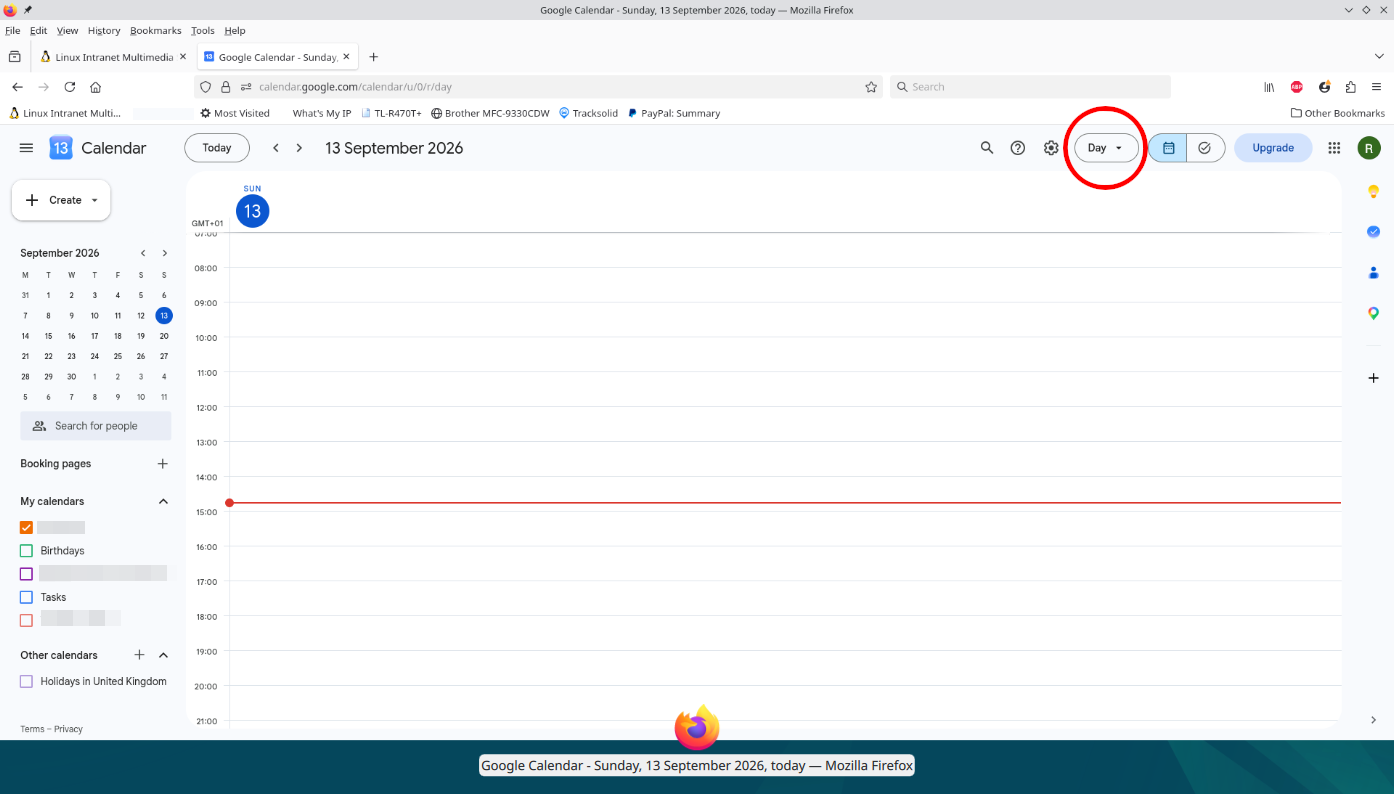
How to make Google Calendar open in month a page view
This article came about as the result of a support call. I thought I would post it in case it were helpful to other people Personally I don’t use Google calendar at all. I have a certain aversion to giving a detailed list of my daily activities to a foreign corporation in a foreign jurisdiction. Anyway, it seems Google’s calendar URLs have a particular meaning. For example:-
https://calendar.google.com/calendar/u/0/r
Translation
- /calendar points to the Google Calendar web app.
- /u/0 — tells Google which signed-in account to use. 0 means the first account in your current Google login/session; another account can commonly appear as /u/1, /u/2, etc.
- /r — an internal Calendar route that takes you to the main/default Calendar interface. It’s commonly described as the “render” route, although Google doesn’t appear to publicly document the exact meaning of the r. It’s essentially the entry point to the Calendar UI.
Worth noting that /r is also the base for more specific calendar views, For example:-
- /calendar/u/0/r = default Calendar view.
- /calendar/u/0/r/week/2026/9/13 = week view.
- /calendar/u/0/r/day/2026/9/13 = day view.
- /calendar/u/0/r/month/2026/9/13 = month view.
- /calendar/u/0/r/agenda/2026/9/13 = schedule/agenda view
Google Calendar’s URLs actually use this structure for navigating to specific dates and views.
So why /u/0/r instead of just /?
Goodle Calendar is effectively a web application with its own URL-based routing system. Google needs the URL to encode things like:
- “Open Calendar → for account #0 → in the main Calendar interface.”
And because the account number is part of the URL, you can have something such as:-
- https://calendar.google.com/calendar/u/0/r
- https://calendar.google.com/calendar/u/1/r
to target different Google accounts that are simultaneously signed in.
/u/0/r is not standard web/HTTP convention. Google Calendar chose those path segments for its own application. So you shouldn’t assume that r universally means “render” in Google’s systems. It seems to be an internal route only used in Google’s Calendar. If you want Google Calendar to open directly to a month view, you can use:
- https://calendar.google.com/calendar/u/0/r/month
Or, to open a specific month, use:-
- https://calendar.google.com/calendar/u/0/r/month/2026/10/1
That would show October 2026 in month view. The pattern is:-
- /calendar/u/0/r/month/YYYY/M/D
So for December 2026:-
- https://calendar.google.com/calendar/u/0/r/month/2026/12/1
You don’t necessarily need the “/1” to conceptually identify the month, but Google Calendar’s generated URLs commonly include a date as the anchor for the view.
What if I am already in Google Calendar?
If you re already in Google calendar and you need to change the calendar view: look at the top-right corner of the Calendar page (circled in read in the header image above).
- Click “Day“.
- Select “Month” from the dropdown list.
That’s it. Your current calendar will immediately switch from one day filling the page to the whole month.
Links
- Google calendar day view:-
https://calendar.google.com/calendar/u/0/r/day/ - Google calendar month view:-
https://calendar.google.com/calendar/u/0/r/month/