ArtCraft
Seems there is a bit of a rumble on the web at the moment about a ‘vibe-coded‘ suite of applications, called ArtCraft. These are said to be”clones” of leading Adobe and Microsoft applications. I have to confess that until a few days ago, I had very little knowledge of the ArtCraft project. However, from what I have gleaned so far, this is a story that goes way beyond “Bloke uses Claude AI to clone Photoshop“. Whilst it currently seems to offer little that I haven’t been able to achieve using more ‘conventional‘ FOSS, I figured that it won’t cost me a bean to learn more about it. Especially since I am cursed with an enquiring mind. Besides, as Debian Testing user, I’m also fairly well tooled-up to do that sort of thing. And significantly, unlike the products they are said to have cloned, Artcraft’s entire suite of applications runs on GNU/Linux.
The project is led by software engineer and film maker Brandon Thomas. He seems an interesting chap, with a somewhat unusual way of visualising this tech. I find myself rather drawn to that. Thomas seems to treat AI as an engineering multiplier, not an automagical programmer. This is similar to what I am doing on my own projects at the moment, albeit at a much lower level. He’s also demonstrating what happens when you stop treating AI’s limitations as a reason not to use it. Something I can certainly relate to, after building and using my own local Pi5-based AI server. I.e. understanding what AI actually is, and working around its various annoyments and limitations.
ArtCraft applications
Without wishing to fall down the rabbit-hole of whether vibe coding is a good idea or not, the ArtCraft range of software claims to be “clean room re-implementations” of popular software, written entirely in Rust. The argument being that whilst all the controls are in the same place, under the proverbial bonnet, the engine and all the running gear is completely new.
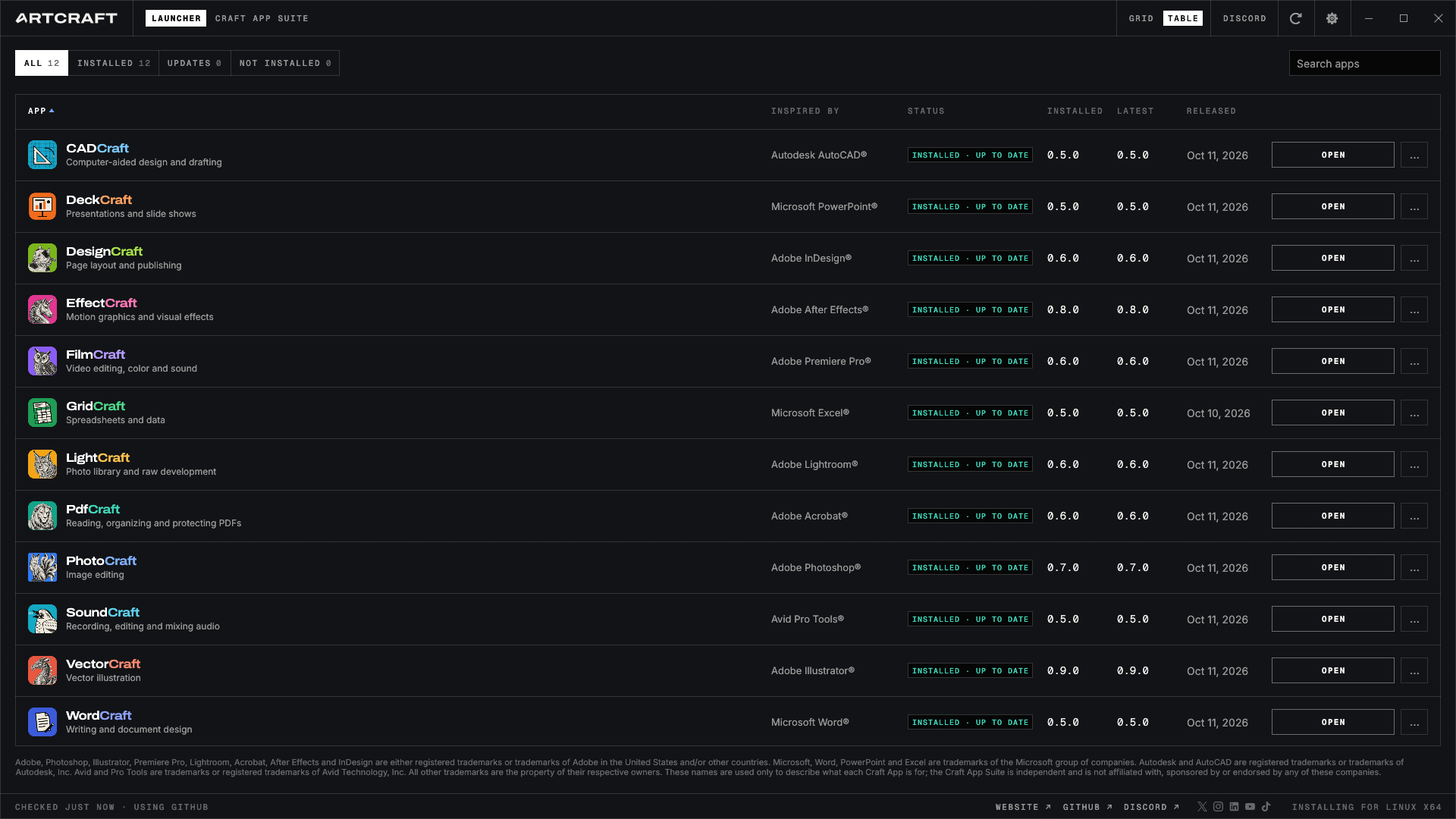
ArtCraft pushes new releases of everything on an almost daily basis, right across its entire suite. So I thought I’d take a look. At time of writing, there are currently 14 available AppImages, including an application launcher and 13 application AppImages. The ArtCraft launcher application for GNU/Linux can download, manage and launch all the other ArtCraft applications, it’s remarkably well thought-out actually. However, it is perhaps worth mentioning that all these applications are at “alpha test” stage. Which means they are not complete yet.
- cadcraft-0.8.0-linux-x86_64.AppImage (similar to AutoCad. Won’t open FreeCAD files. Almost all my CAD stuff is *.FCStd or *.stl)deckcraft-0.8.0-linux-x86_64.AppImage
- designcraft-0.10.0-linux-x86_64.AppImage (similar to Adobe inDesign desktop publisher)
- effectcraft-0.11.1-linux-x86_64.AppImage (not sure what this is supposed to emulate, but it is actually quite nice for video intros and outros)
- figcraft-0.8.0-linux-x86_64.AppImage (I am not entirely sure what this is supposed to do. Apparently it’s similar to Figma, but I have not actually made it do anything useful yet.)
- filmcraft-0.9.0-linux-x86_64.AppImage (similar to Adobe Premiere – I think. However nothing here makes me want to abandon KDENLive.)
- gridcraft-0.9.0-linux-x86_64.AppImage (similar to MS EXcel, but offers nothing that would drag me away from LibreOffice.)
- lightcraft-0.9.1-linux-x86_64.AppImage (similar to Adobe Lightroom but I prefer darktable.)
- pdfcraft-0.9.0-linux-x86_64.AppImage (I’m guessing this is like the full Adobe Acrobat. It is currently probably the most useful application from the ArtCraft stable.)
- photocraft-0.10.0-linux-x86_64.AppImage (similar to Adobe Photoshop but still has a few bits missing. I prefer GIMP.)
- soundcraft-0.10.0-linux-x86_64.AppImage (similar to Avid Pro Tools, though in its current state, I found it rather annoying compared to my familiar Audacity.)
- vectorcraft-0.13.1-linux-x86_64.AppImage (similar to Adobe Illustrator but still has a lot of missing features, and for my purposes, I prefer Inkscape.)
- wordcraft-0.8.0-linux-x86_64.AppImage (similar to MS Word but needs work.)
Installation
If you are the lazy kind, you can simply:-
- download the ArtCraft Application Launcher AppImage,
- put it in your ~/Applications directory,
- make ArtCraft Application Launcher AppImage executable,
- run it,
- then use ArtCraft Application Launcher to install and manage all the other AppImages.
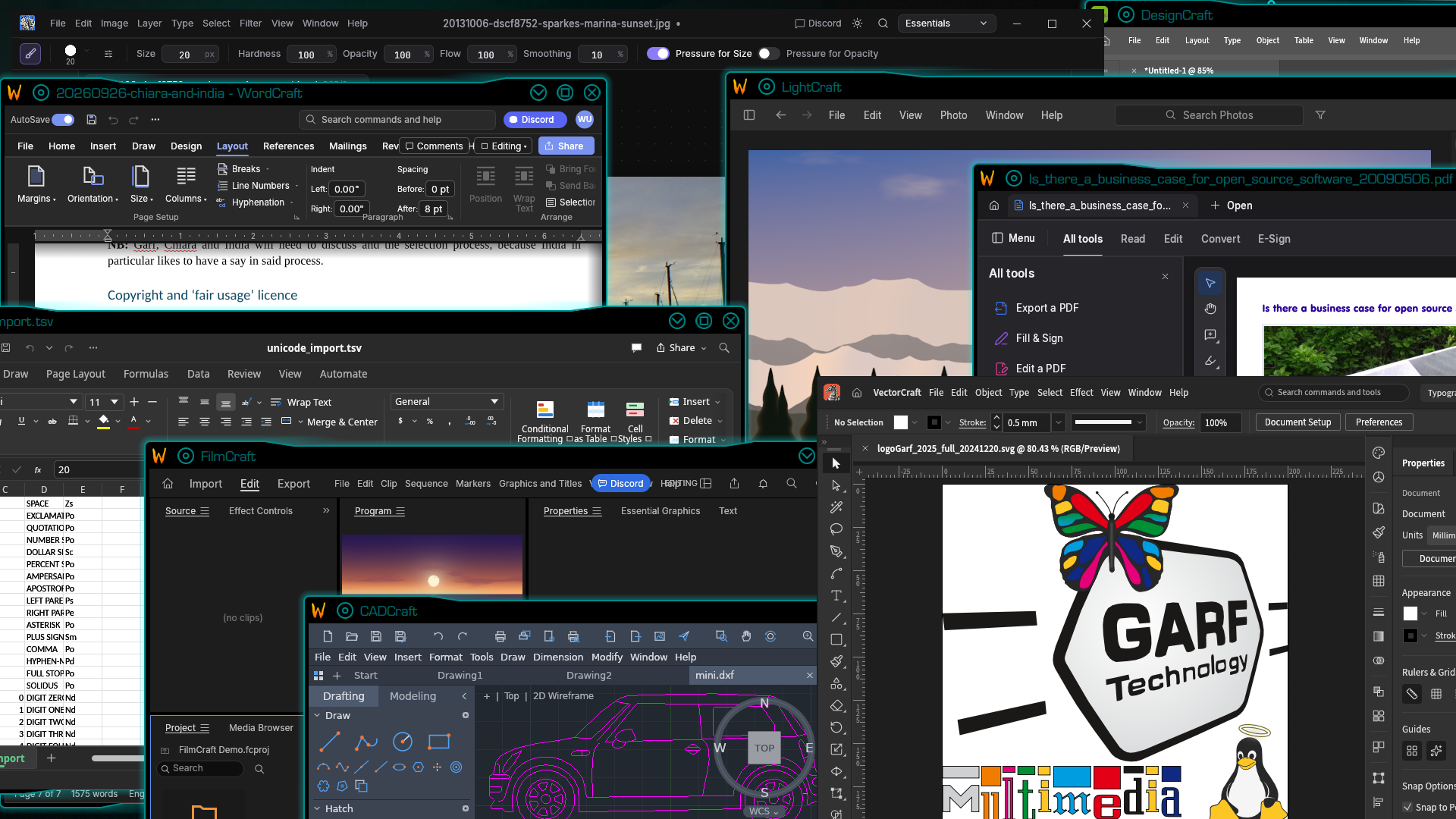
They all work on GNU/Linux, and they will all run simultaneously, as header image for this article attempts to demonstrate. However there is quite a difference between “runs on Linux” which clearly they all do, and “integrates well with operating system and desktop” – which is currently somewhat less impressive. You can’t even drag and drop files onto the application. And the look and feel is totally different from ones standard KDE desktop. Using them on my silky-smooth KDE Plasma desktop reminds me a bit of the old days of using “cross platform!” Java apps.
Nevertheless, they all run, they all stay up, and they all certainly seem to perform basic functions quite well. Certainly for some people, I think these applications could prove quite useful, especially as features are added, and bugs and omissions are fixed. But if you are already heavily steeped in the FOSS world, as I am, then the attraction of this type of application becomes somewhat diminished, in my opinion.
Application Launcher
I currently have all 13 Artcraft applications on my test system, as AppImages, and receive updates almost daily. All thirteen applications work, and seem stable, albeit with the aforementioned limited functionality. I have not found any signs of malware or other hidden nasties.
[click on screengrabs to enlarge]
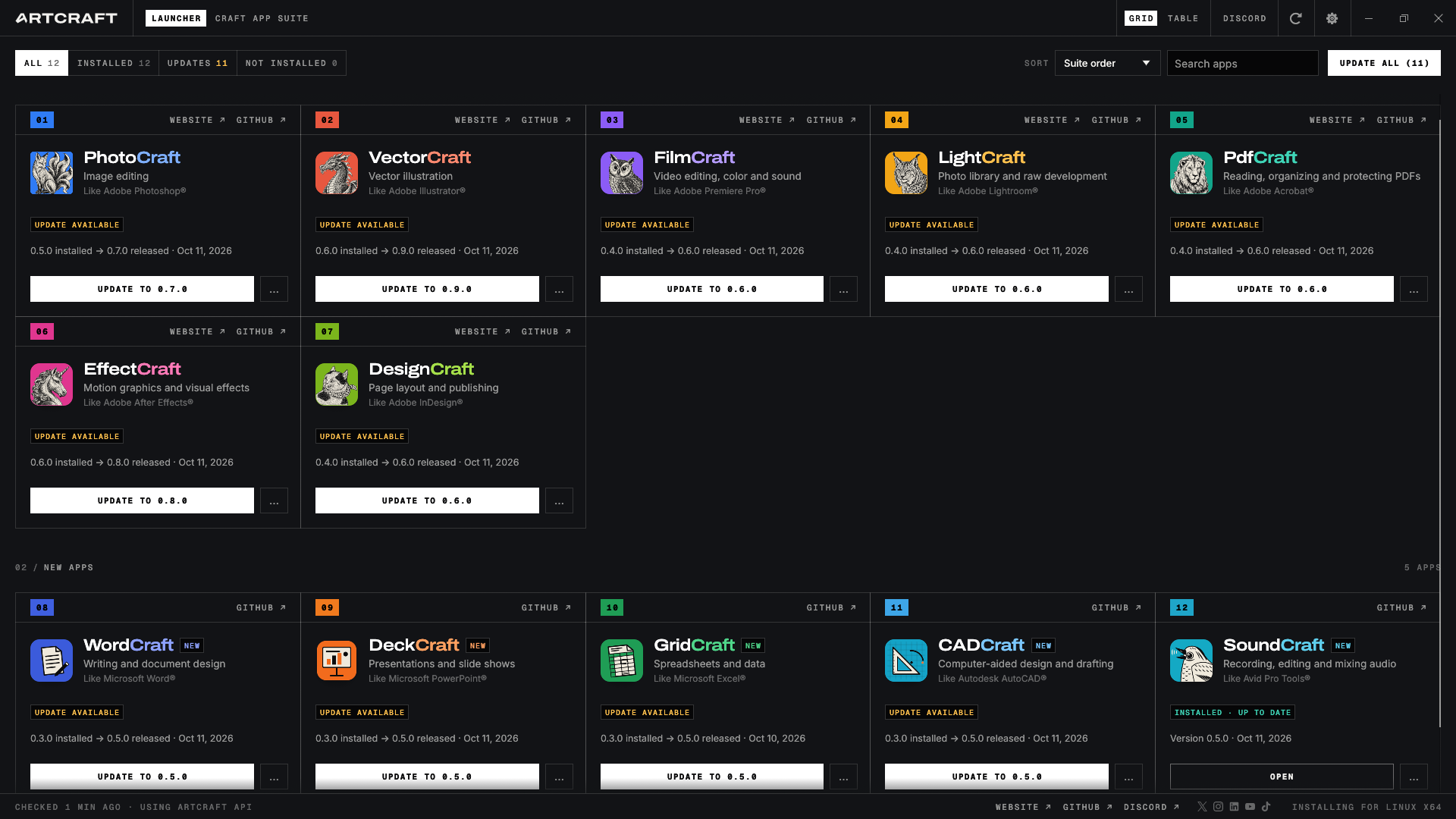
It’s updater AppImage successfully updated all applications cleanly and without issue:-
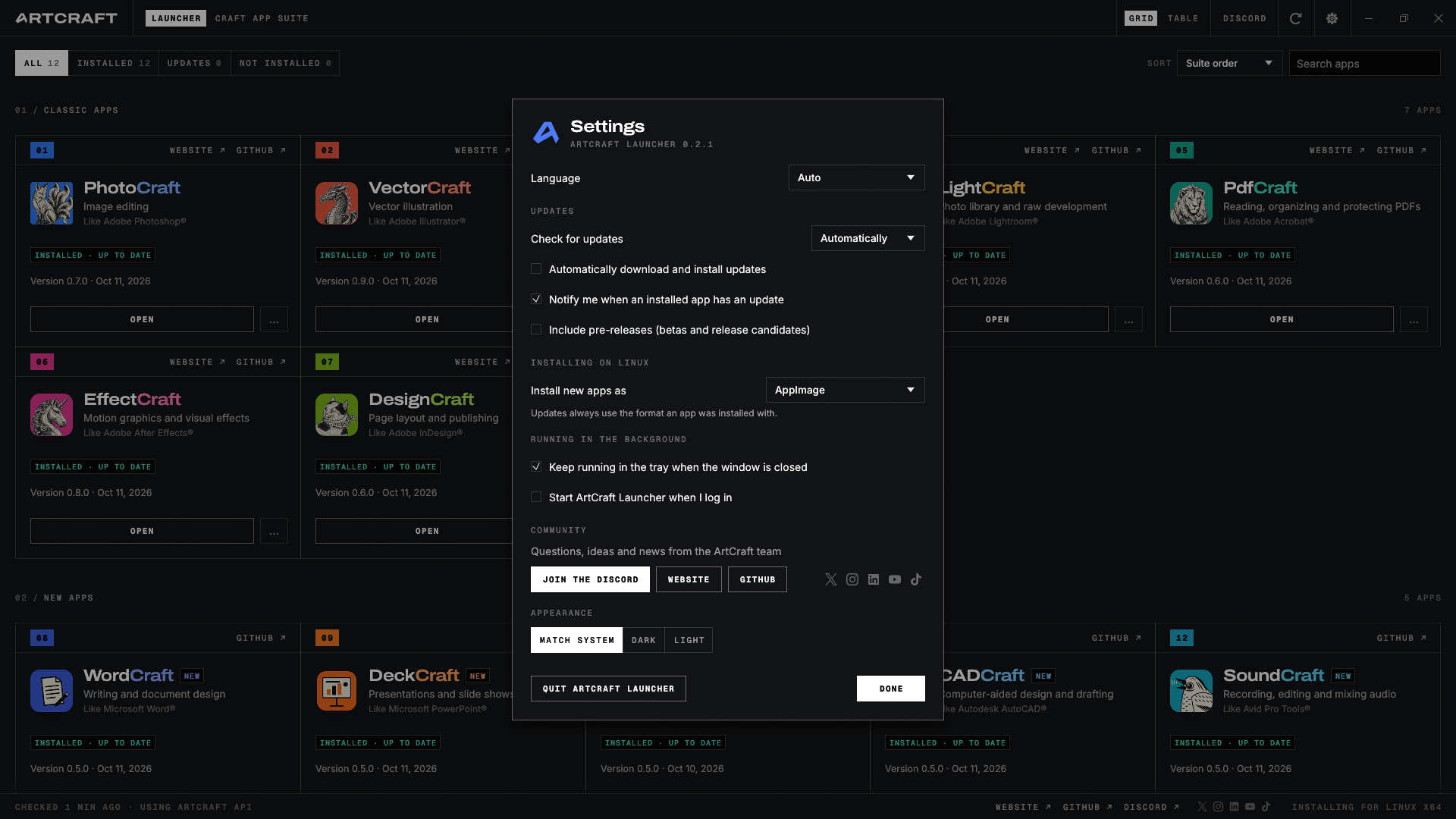
And its AppImage launcher makes it much easier now to keep portable AppImage versions of all this software easily accessible and up-datable. AppImage format has a particular significance in GNU/Linux world. Essentially it wraps up an entire application and its dependencies in a big single file. This allows testers and users to test applications quickly and easily in userspace, relatively safely, without having to install system wide as root. The addition of this launcher/updater applet makes management of a bunch of AppImages significantly easier and smoother. I think this is a very nice touch…
Are they any good?
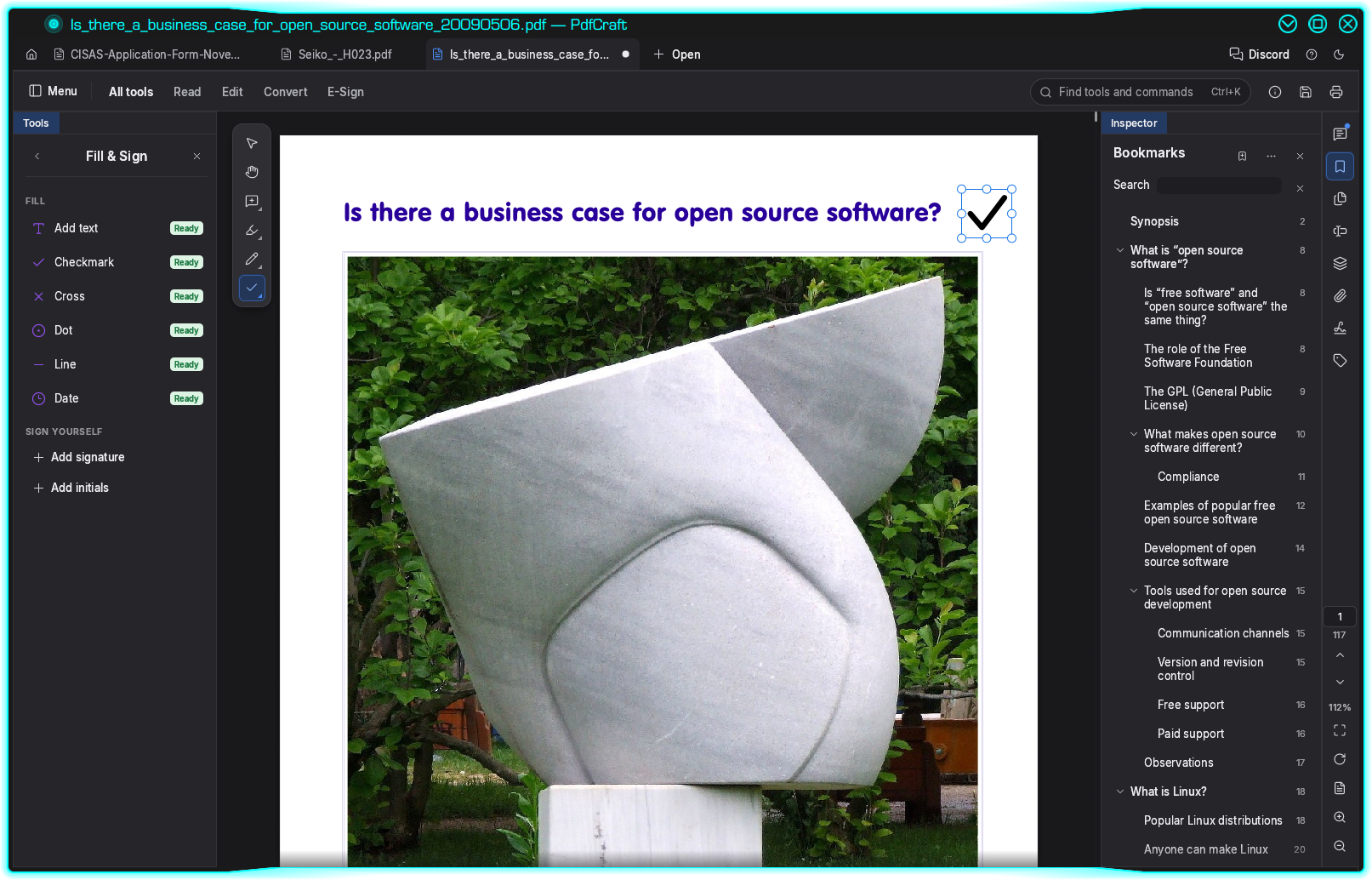
I’ve not had time to study each and every app in detail. But first impression is that they all work, but they also all still need work. There are already very adequate and mature open source alternatives for everything. However, I would argue there is an exception. The PDF editor PdfCraft. Applications such as xPDF et al are crude and clunky. Whereas PDFCraft is silky smooth, very stable and almost all features are functional now. In fact, I’d say that as of right now, PdfCraft is the probably best free, open source PDF editor out there for GNU/Linux. In fact an article appeared over at ZDNet that confirms my thoughts with regard to PdfCraft of PDFCraft.
On the other hand, WordCraft makes a complete pigs breakfast of importing Open Document Format where the document has a graphic in the header. VectorCraft doesnt like complex SVG’s (scalable vector graphics) that have bitmapped elements – such as our annual Christmas cards for example. Granted, it’s nearly three decades since I used Illustrator. But I’d imagine that I’m not the only person on the planet who would want to do mixed vector images. CorelDRAW and Inkscape do these without issue.
Hence more reasons why I think its more appropriate to consider ArtCraft products as lookalikes rather than clones. Whilst Brandon Thomas and his crew seem to be releasing updates fairly frequently at the moment, I think they still have a lot of work to do before ArtCraft becomes a serious contender in the game. I think that apples to all computer users, regardless of whether you use proprietary or open source software.
Standing back a little, I’m not sure that’s the overall objective here anyway. As I read it, Thomas’s philosophy is that AI coding allows computer users to make their own tools. And importantly, he demonstrates that it can be done, and he encourages others to follow his lead.
Can I use ArtCraft applications to replace Lightroom, PhotoShop etc?
Like the rest of the ArtCraft suite, LightCraft is still at alpha test stage with around 49-81% of its features available and working, depending on how you do the sums. But there are updates almost every day. Quoting from LightCraft’s own Github…
- By feature count we’re at ~81% of Lightroom (core features 98%), tracked row by row in docs/parity-checklist.md.
- As a day-to-day Lightroom replacement we’re nearer 61% for the whole product, ~49% for a typical working photographer and ~64% for casual use. It’s great for JPEG/DNG and most Sony / Panasonic / Fujifilm / Nikon / older-Canon raws on one machine; see docs/raw-parity.md for your camera.
I cannot personally comment how LightCraft behaves compared to Adobe Lightroom. But I can say that as of right now LightCraft is still not as capable as darktable. But as a long-term GNU/Linux user I am following ArtCraft developments with keen interest because unlike Adobe and Microsoft products, the entire ArtCraft suite supports GNU/Linux and seems to do so remarkably well, though the desktop integration needs some work. It’s also free and genuinely open source.
Is it really open source?
Whilst the licensing and copyright is a tad fuzzy, due to questions regarding AI generated intellectual property, the entire ArtCraft suite is pukka open source. Try it for yourself. Assuming you keep your gits at ~/gits …
cd ~/gits
git clone https://github.com/storytold/photocraft.git
git clone https://github.com/storytold/vectorcraft.git
git clone https://github.com/storytold/filmcraft.git
git clone https://github.com/storytold/lightcraft.git
git clone https://github.com/storytold/pdfcraft.git
git clone https://github.com/storytold/effectcraft.git
git clone https://github.com/storytold/designcraft.git
git clone https://github.com/storytold/wordcraft.git
git clone https://github.com/storytold/soundcraft.git
git clone https://github.com/storytold/deckcraft.git
git clone https://github.com/storytold/cadcraft.git
git clone https://github.com/storytold/gridcraft.git
git clone https://github.com/storytold/figcraft.git
So you can build from source?
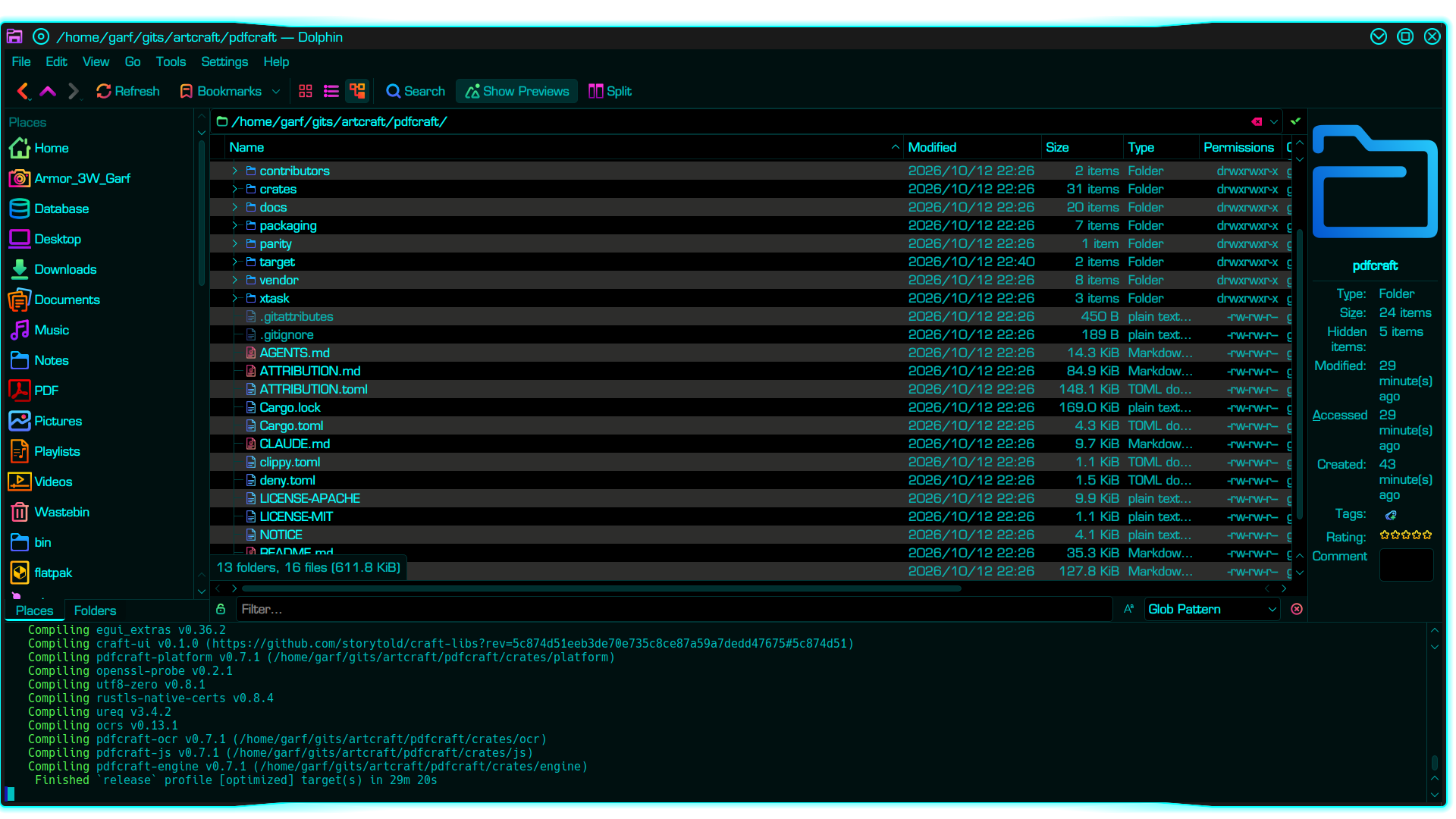
Out of curiosity, I just built PdfCraft version 0.7.1 from source. Takes around 30 minutes to compile, but it does so without error. Longest part is the bit at the end where it finally puts together the binary. But just let it get on with its business. It gets there in the end. You probably have most of the dependencies already, but here they are anyway (assuming you are still running Ubuntu or similar)…
sudo apt install rustc cargo git build-essential pkg-config dpkg-dev libssl-dev curl libxkbcommon-dev libwayland-dev libx11-dev libxrandr-dev libxi-dev libgl1-mesa-dev libasound2-dev
Assuming you are already in your gits directory. then it’s simply:-
cd pdfcraft
cargo build --release -pdfcraft
Isn’t this illegal?
The overriding consideration for me (and I would wager for most computer users) is to stay within the Law. I’ve yet to find anything authoritative that proves using this code or the associated products is unlawful. In fact the only case law I can find that might apply here is the 2012-05-02, SAS Institute Inc. vs World Programming Ltd case. And that precedent rather favours ArtCraft.
In deciding this case, The Court of Justice of the European Union found that copyright protection for a computer program does not extend to its functionality, programming languages or data-file formats as such. A competing program can therefore reproduce functionality without necessarily infringing copyright, provided it does not unlawfully reproduce protected expression, such as protected source code or other copyrightable material.
Official case record: Judgement (Summary), 02/05/2012, ECLI:EU:C:2012:259. The Court’s decision was based on an earlier English High Court ruling.
Of course, this is a more complex and nuanced situation, with a lot more variables. Nevertheless, until the matter is resolved within a relevant legal framework, I intend to continue testing ArtCraft. The project intrigues me, not because I want the free software. I’m perfectly content with my current “old school” FOSS stack. I’m intrigued because I think it represents a series of rapidly-developing snapshots of the future.
Clones?
I would add that nether Adobe nor Microsoft makes versions of this updater, nor any of the original software for GNU/Linux. Nor have they ever done so. Indeed both Adobe and Microsoft have steadfastly refused to support GNU/Linux operating systems. So to describe these applications simply as “clones” is a bit of a stretch in my view. By definition, something actually needs to have existed in order to clone it. “Lookalikes” is perhaps a better description. In ArtCraft’s own parlance they are described as “similar to…” “inspired by…” and “like…” Of course time will tell whether or not this distinction is sufficient to keep the developers out of court. 😉
There is also the slightly amusing irony that all the source code for this project is on GitHub, which is has been owned by Microsoft since 2018-10-26. So if I were a gambling man, I’d wager that the project may be looking for a new home fairly soon. 🙂
Surely Adobe and Microsoft will sue anyway?
With 10000 forks for the “Photocraft” project alone, mostly in countries outside the United States, I struggle to see how Adobe can stop projects such as these? And if it did sue, how does it sue people with no money? In countries that its government has systematically alienated? And what would be Adobe’s standing in suing over a BSD or GNU/Linux version, since it has steadfastly refused to support either of those classes of OS? “We won’t make it but you cannot do it either?” lol 
Regardless of whether one regards this as a good thing or a bad thing, the proverbial genie is well and truly out of the bottle here. The fact that Adobe hasn’t sued rather speaks volumes on its own too, IMHO.
Isn’t the EU trying to distance itself from proprietary American software?
Here’s where I think it may get very interesting: American corporations such as Adobe do not possess a global legal authority – even though they like to pretend that they do. A US court’s judgement does not automatically give a US corporation the power to seize assets, shut down a business, or collect damages in another country. Whilst US law has been a sort of template in the past, recent political events suggest this may not necessarily be the case in the future.
Let’s say a US corporation wins a lawsuit in the United States, but the defendant has his assets in another country. The other country’s courts refuse to recognise the judgement automatically because it conflicts with its own national public policy. This is a situation that is plausible in countries where governments are actively seeking and encouraging open source alternatives to proprietary American software, such as the EU, and perhaps even more so in China. At the very least, this could make enforcing a US corporation’s claims across multiple jurisdictions slower, more expensive and significantly less predictable.
To be clear, I’m not suggesting EU and China will suddenly stop recognising American law. But I think they will become increasingly selective about which American legal authorities are allowed to have practical effect, particularly where it conflicts with their own national interests.
Other operating systems
I understand that in addition to supporting almost all modern GNU/Linux OS’s, all the above are also available for MS Windows, MacOS and FreeBSD. But I have not tested on any of those other platforms.
Test environment
Hardware: Clevo N150CU, c/w Intel i5 series 10 CPU and 32GB RAM on an encrypted 2TB Samsung NVMe. (Fairly nice laptop, but nothing special.) OS: Debian Testing (aka “Forky”), c/w KDE Plasma desktop v 6.7.4. I have not tested any of the ArtCraft apps on proprietary operating systems such as MS Windows or MacOS, not have I tested it on machines with ARM processor. So your mileage may vary.
Links
- ArtCraft official website:-
https://getartcraft.com/ - Brandon Thomas, ArtCraft Wiki page:-
https://artcraftwiki.com/people/brandon-thomas/ - EU open source strategy:-
https://digital-strategy.ec.europa.eu/en/policies/open-source-strategy - GitHub locations for each application:-
- CadCraft
https://github.com/storytold/cadcraft.git - DeckCraft
https://github.com/storytold/deckcraft.git - DesignCraft
https://github.com/storytold/designcraft.git - EffectCraft
https://github.com/storytold/effectcraft.git - FigCraft
https://github.com/storytold/figcraft.git - FilmCraft
https://github.com/storytold/filmcraft.git - GridCraft
https://github.com/storytold/gridcraft.git - LightCraft
https://github.com/storytold/lightcraft.git - PdfCraft
https://github.com/storytold/pdfcraft.git - PhotoCraft
https://github.com/storytold/photocraft.git - SoundCraft
https://github.com/storytold/soundcraft.git - WordCraft
https://github.com/storytold/wordcraft.git - VectorCraft
https://github.com/storytold/vectorcraft.git
- CadCraft
- Judgement summary in the Case C-406/10, SAS Institute Inc. vs World Programming Ltd:-
https://infocuria.curia.europa.eu/tabs/affair?lang=en&sort=AFF_NUM-DESC&searchTerm=%2522C%252D406%252F10%2522&publishedId=C-406%2F10 - Rust programming language, official site:-
https://rust-lang.org/ - Vibe coding definition:-
https://en.wikipedia.org/wiki/Vibe_coding